Joining, step by step
Joining takes a few minutes on HelloAsso. Here's every screen of the form (in French), with what to press circled in red.
Join on HelloAssoContribution to HelloAsso optional: give whatever you like
The screenshots show a made-up member.
Choose your membership
- 1
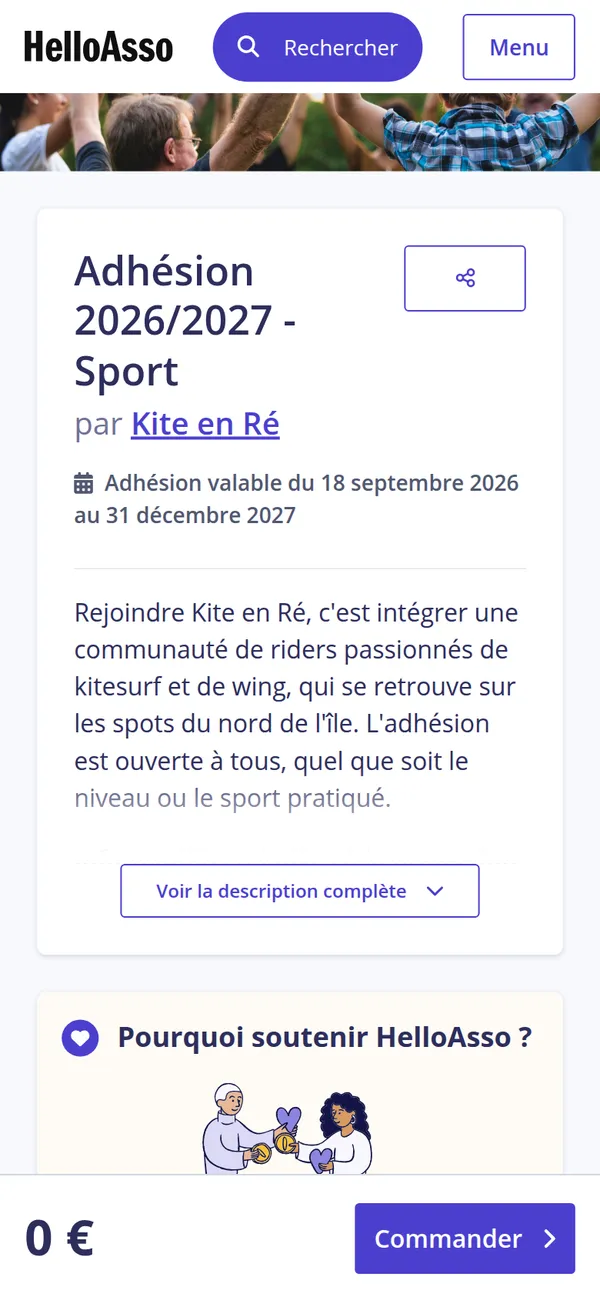
Open the form
The Join on HelloAsso button opens the club's form in a new tab. If a cookie banner shows up, pick Non merci (no thanks) or OK pour moi (fine by me).
- 2
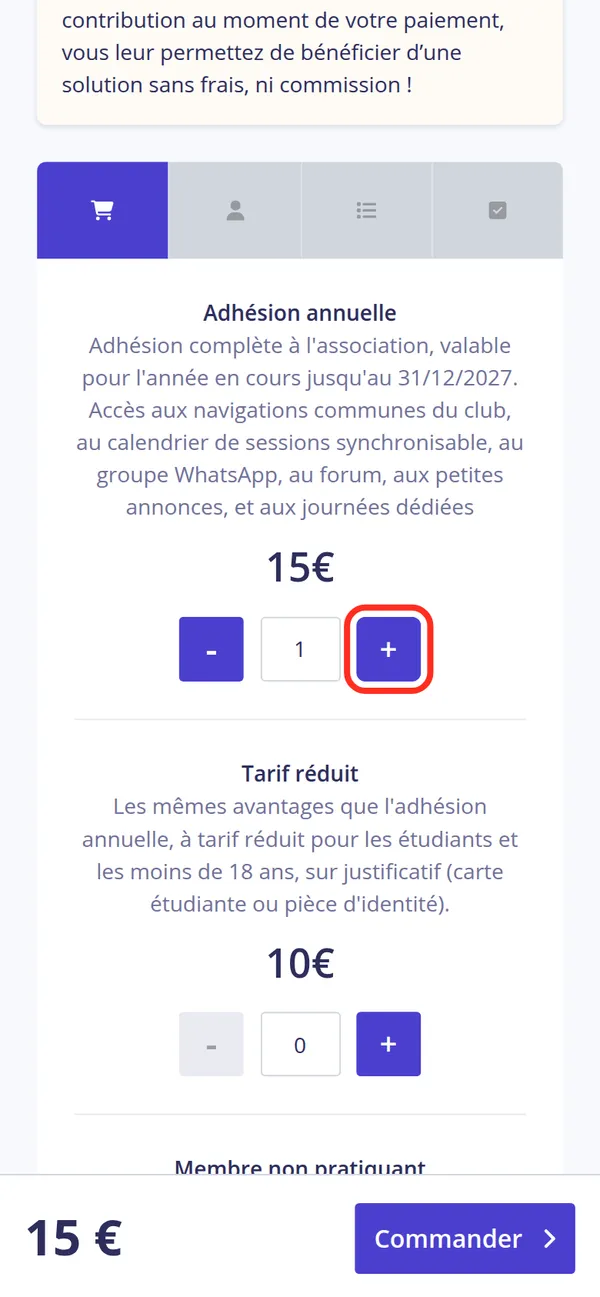
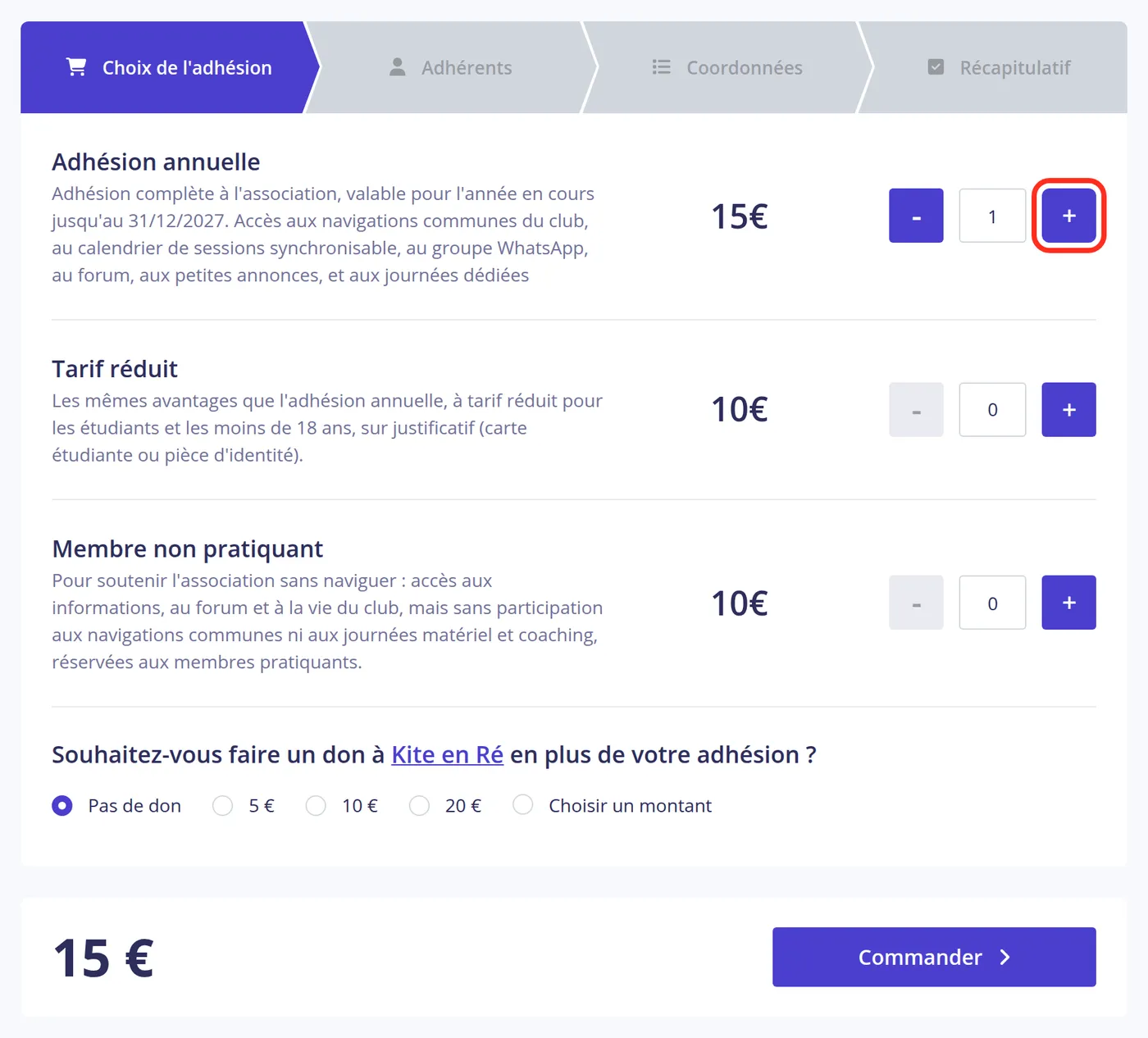
Pick your membership
Press the + of the membership that fits you.
- 3
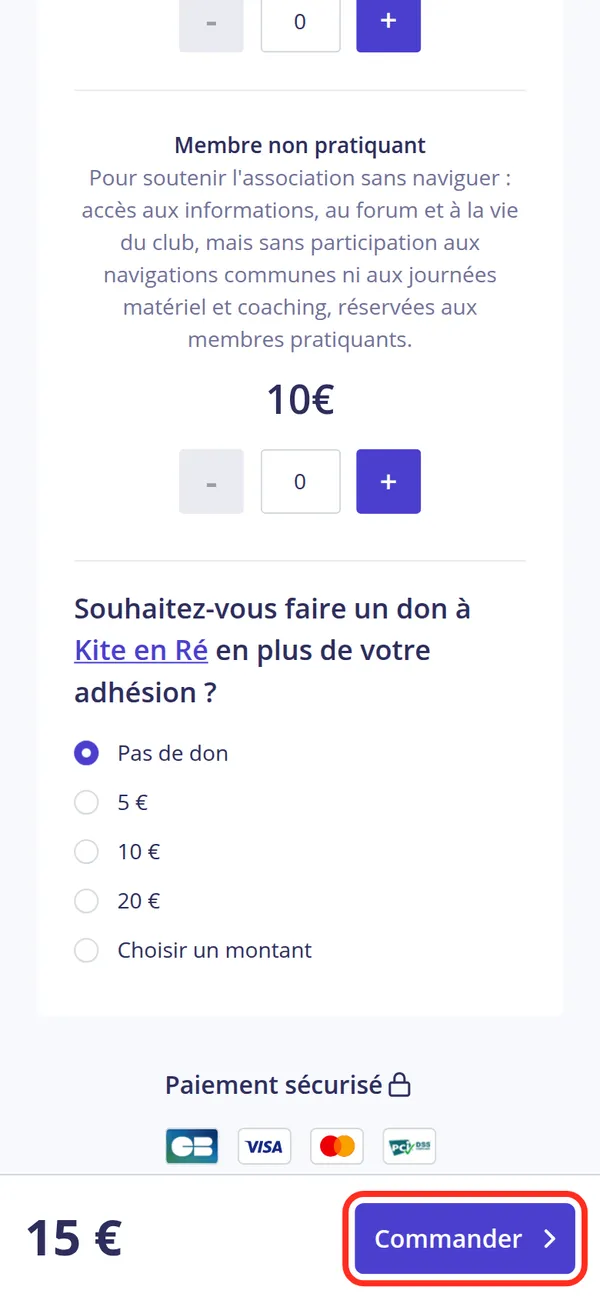
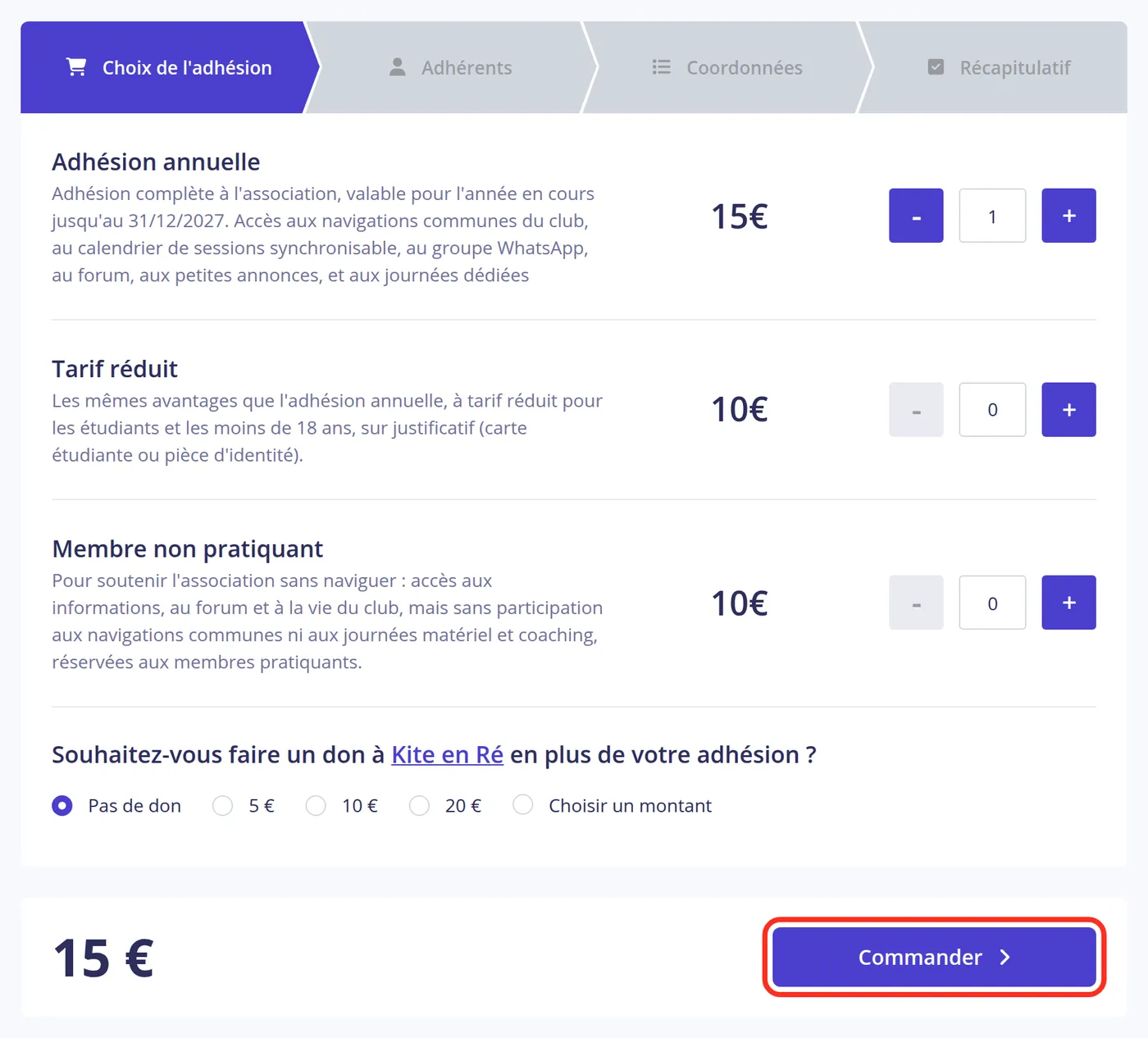
A donation to the club, if you wish
HelloAsso then offers a donation to the club on top of the membership. It's optional: leave Pas de don (no donation) selected if you don't want to make one, then press Commander (order).

Your details
- 4
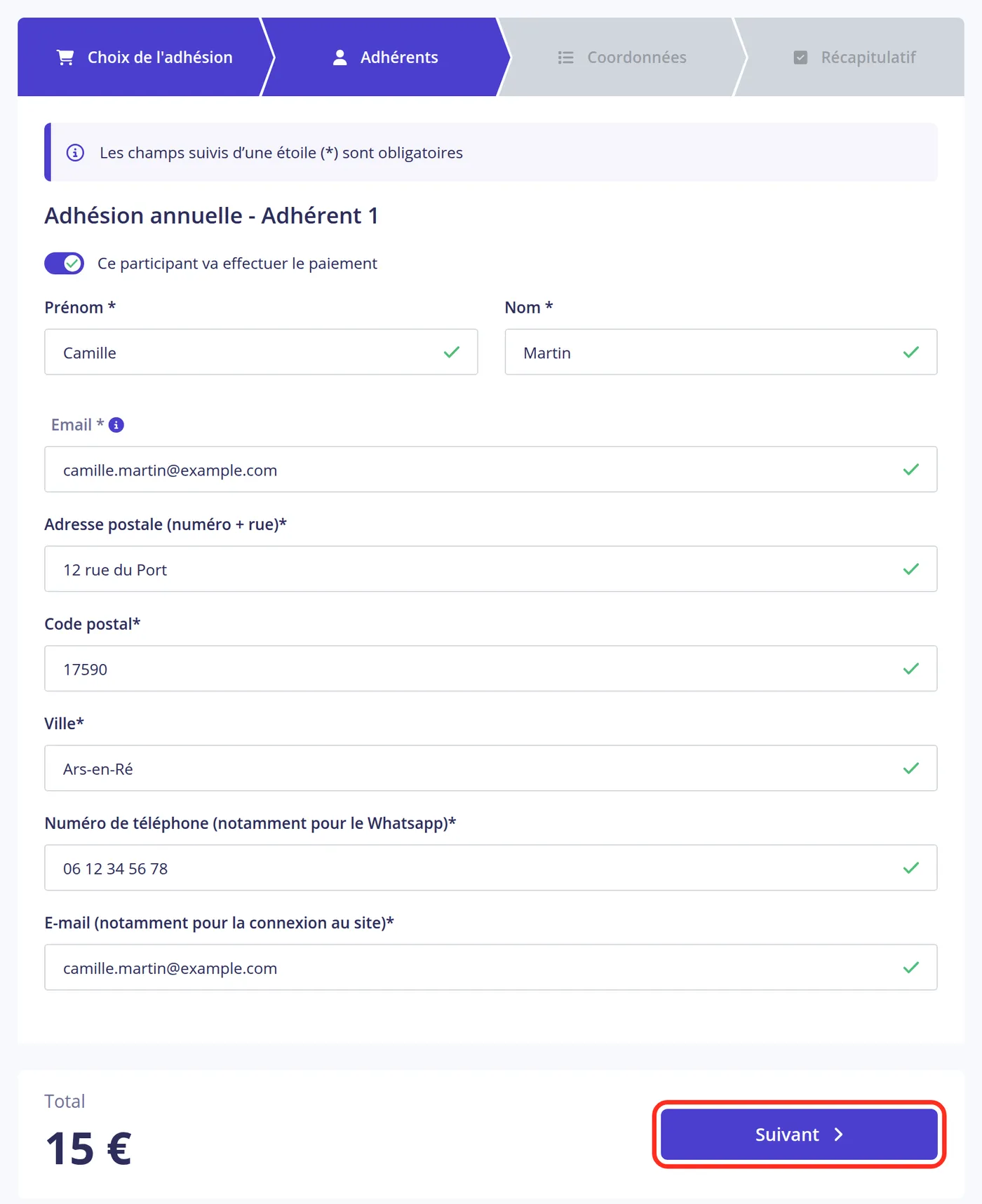
Who's joining
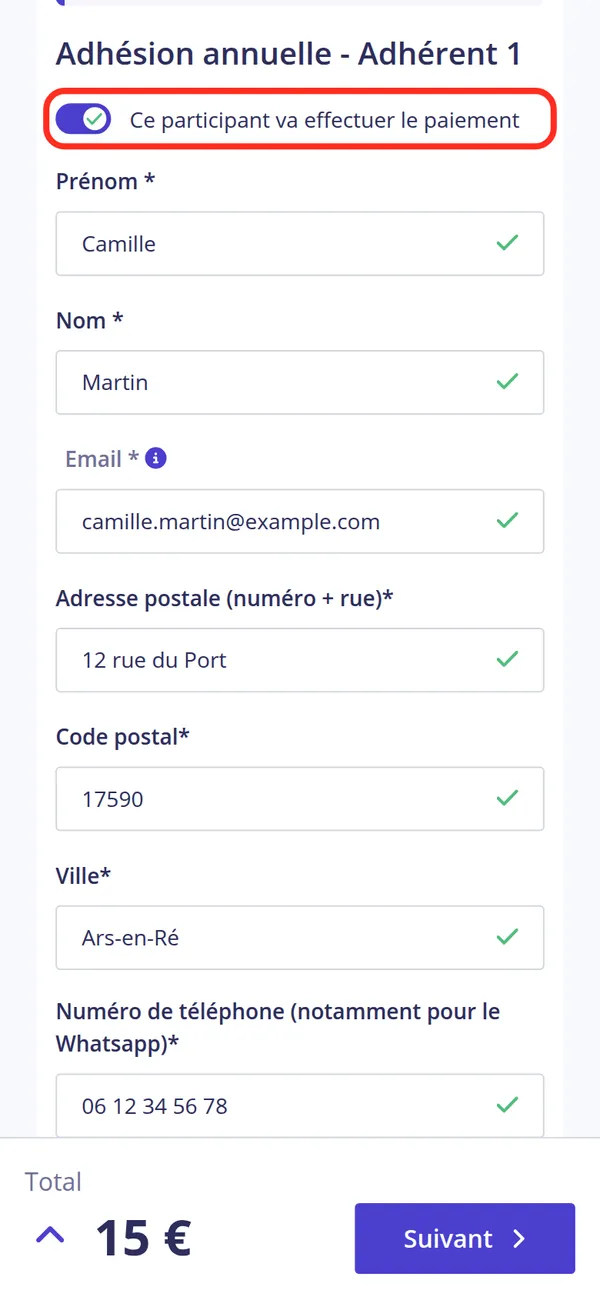
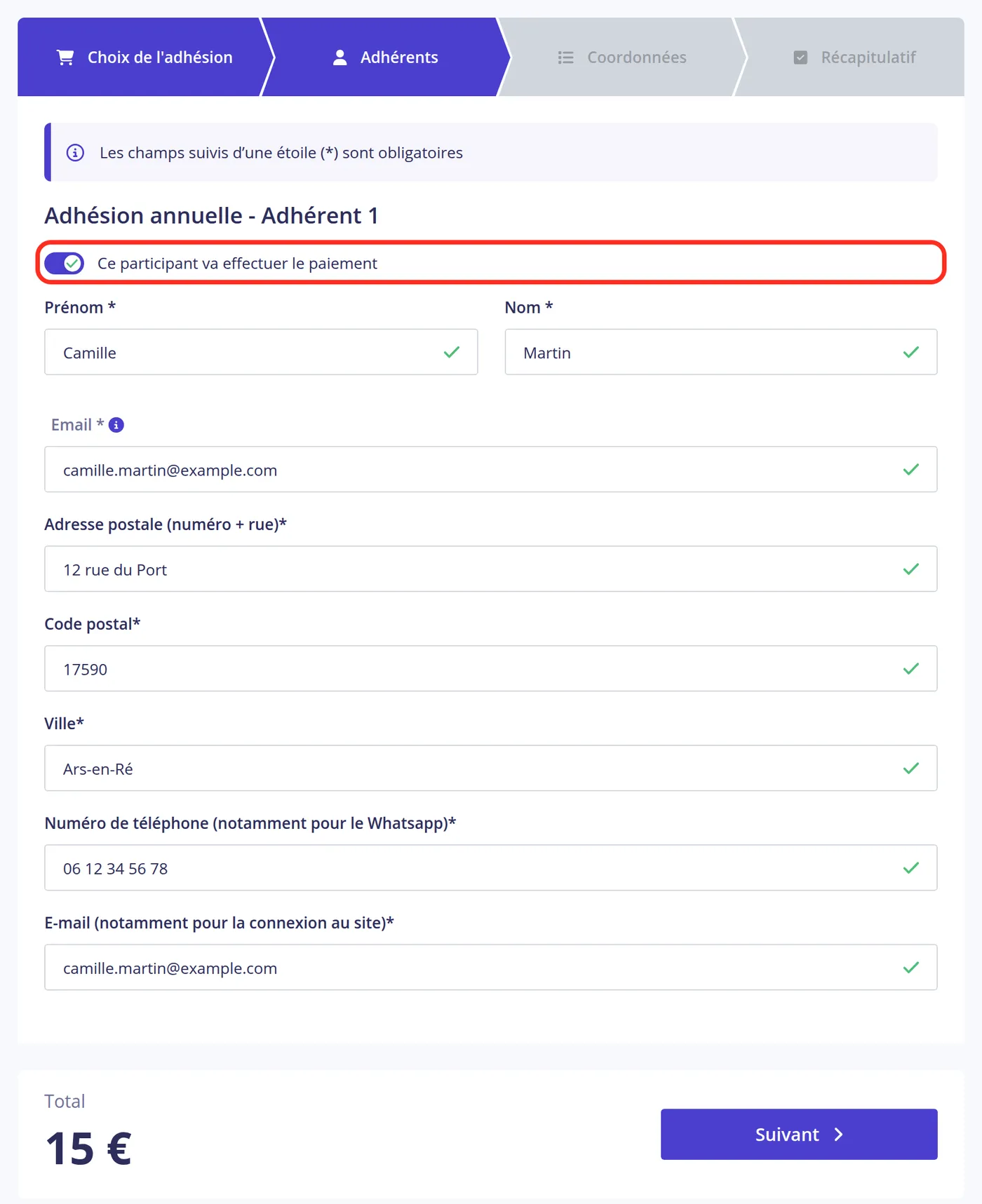
If you're paying for your own membership, turn on Ce participant va effectuer le paiement (this participant will pay): your details will be reused for the payer. Then fill in your first name, last name and email.
- 5
Your contact details
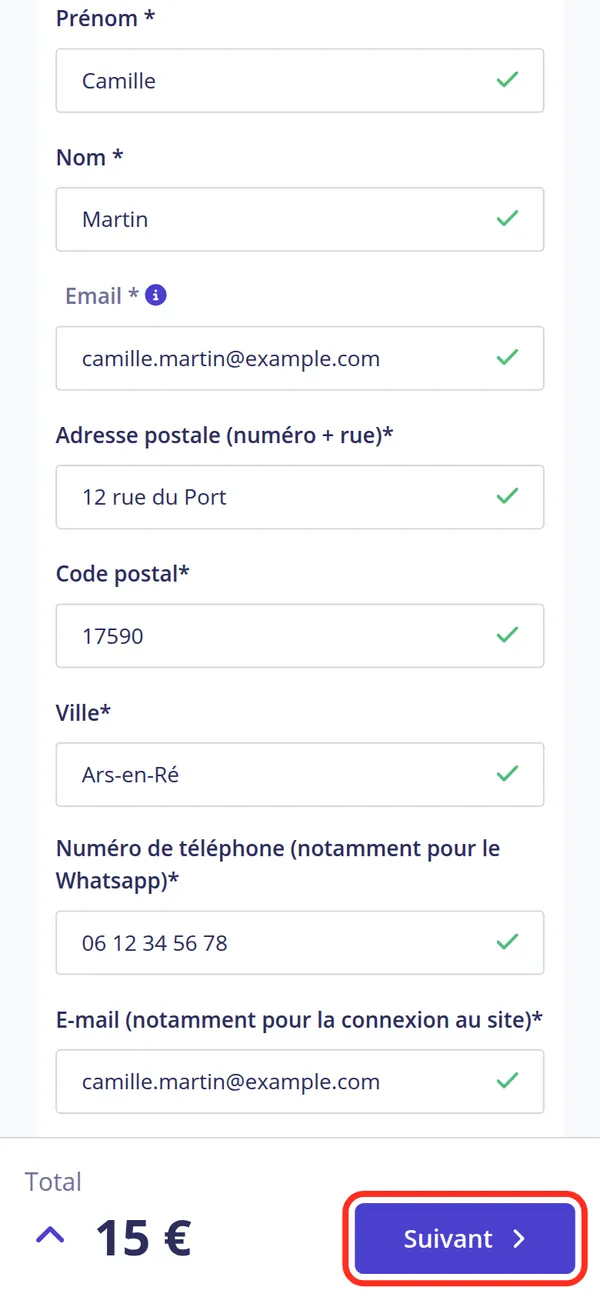
Add your address and phone number (used for the WhatsApp group, among other things). The last email is the one you'll log in to the club's website with. Then press Suivant (next).
- 6
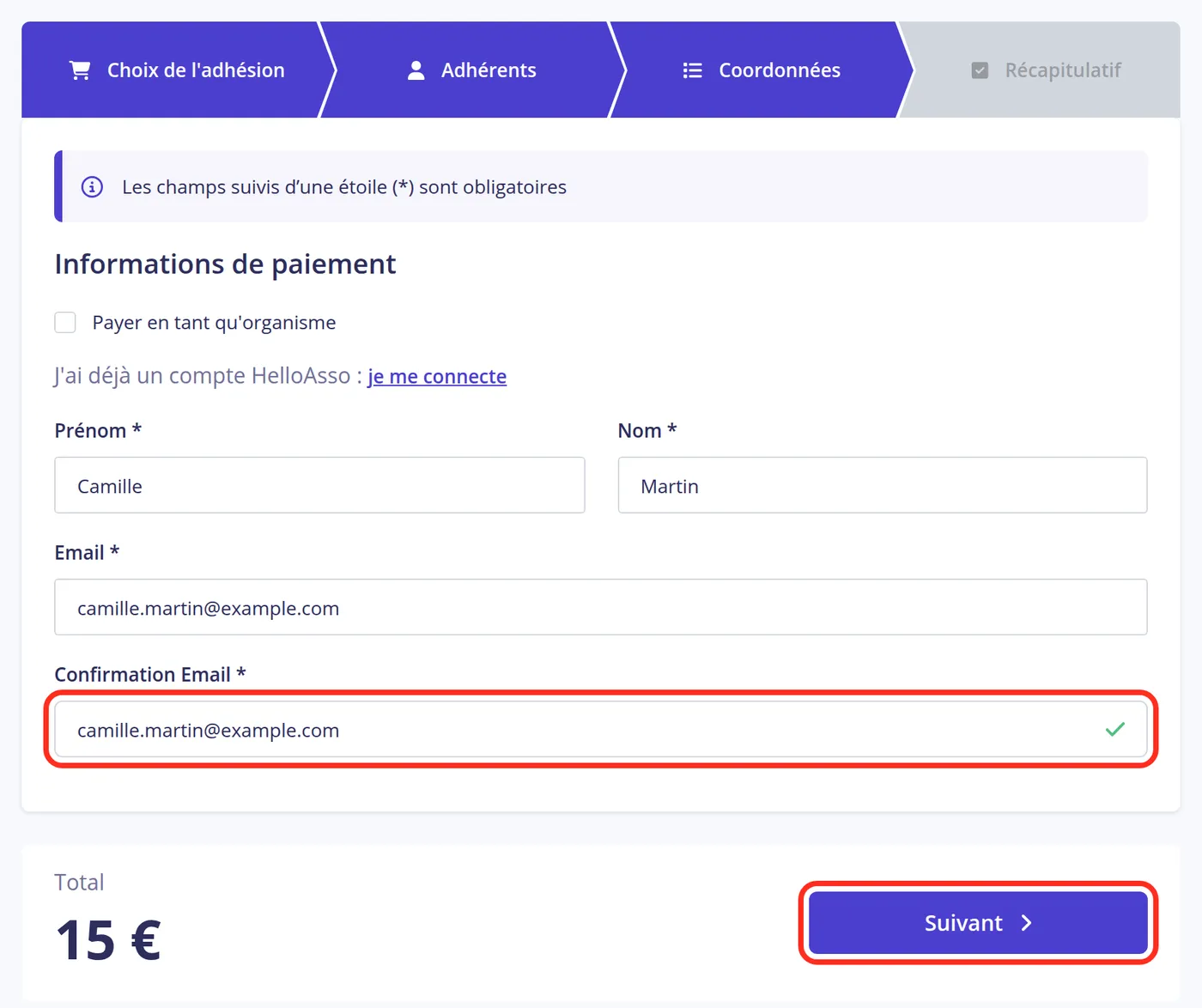
The payer
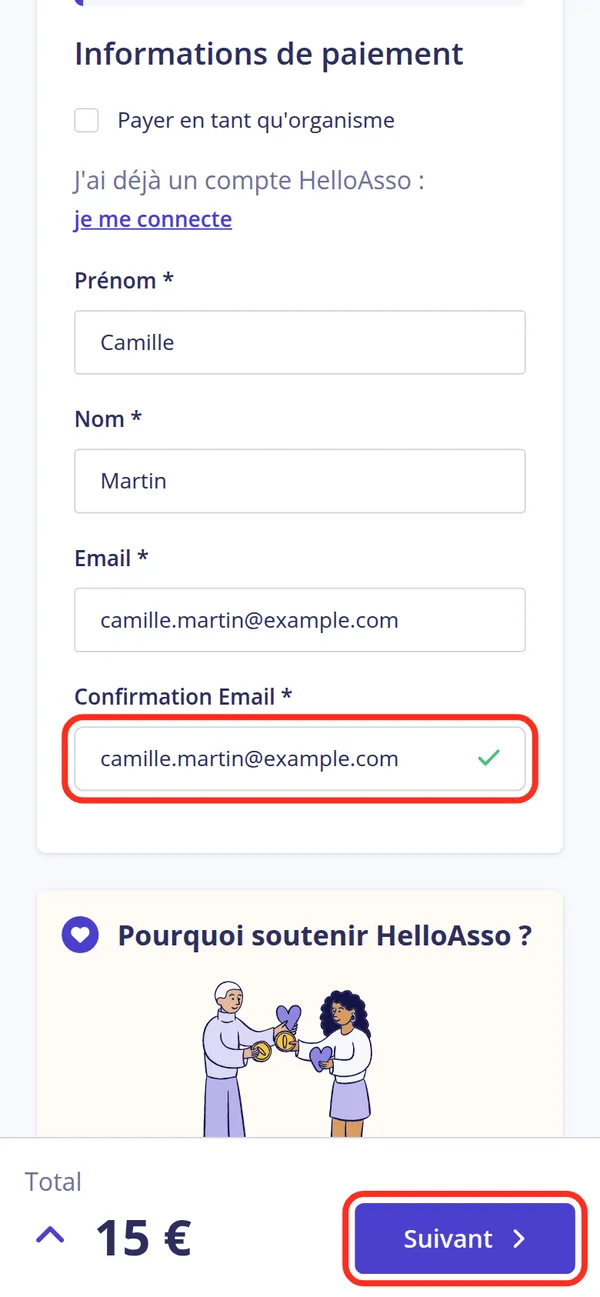
If you turned the switch on in step 4, the payer's first name, last name and email are already filled in: just confirm the email. Then press Suivant (next).
The contribution to HelloAsso
HelloAsso takes no commission from the club: the platform is funded by a voluntary contribution from each payer, pre-filled at checkout. It's up to you to keep it or give whatever amount you like.
- 7
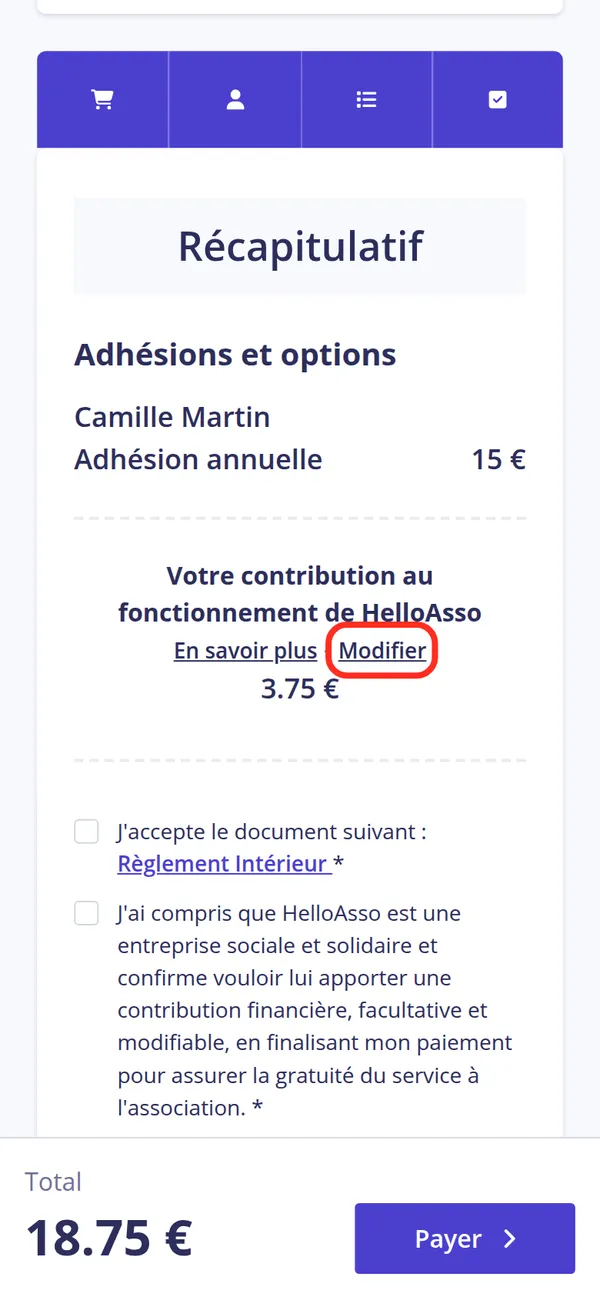
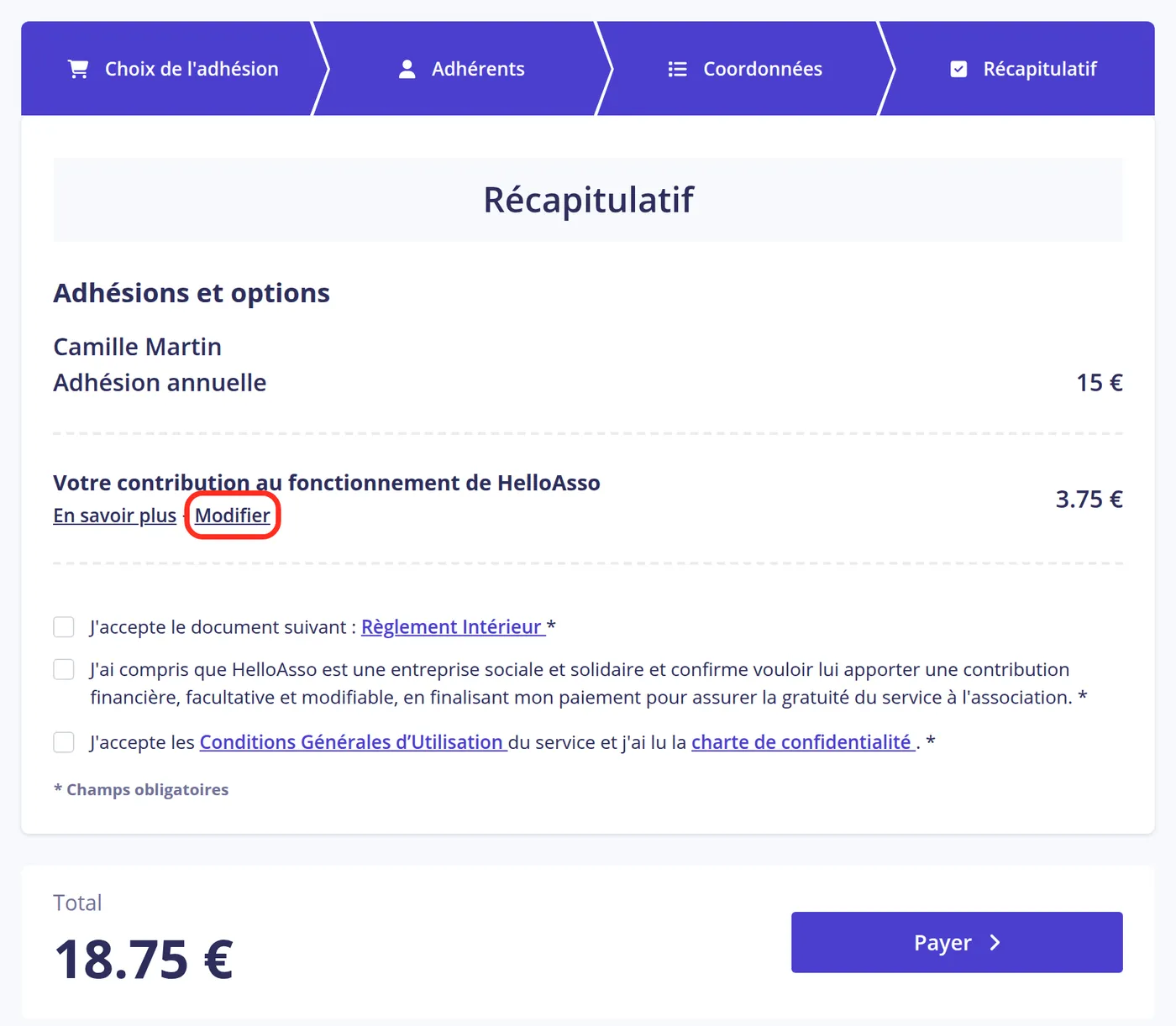
Change the contribution
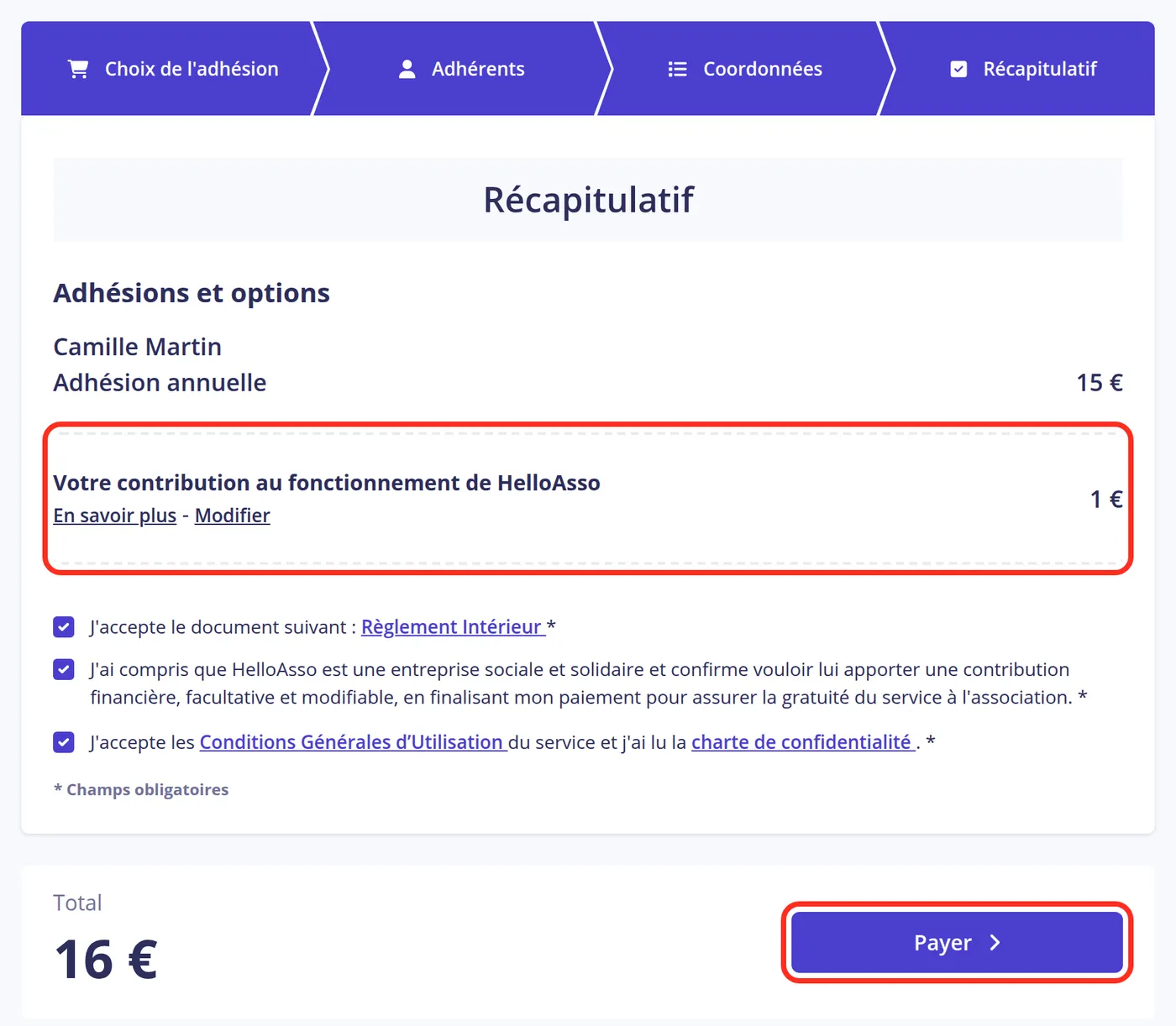
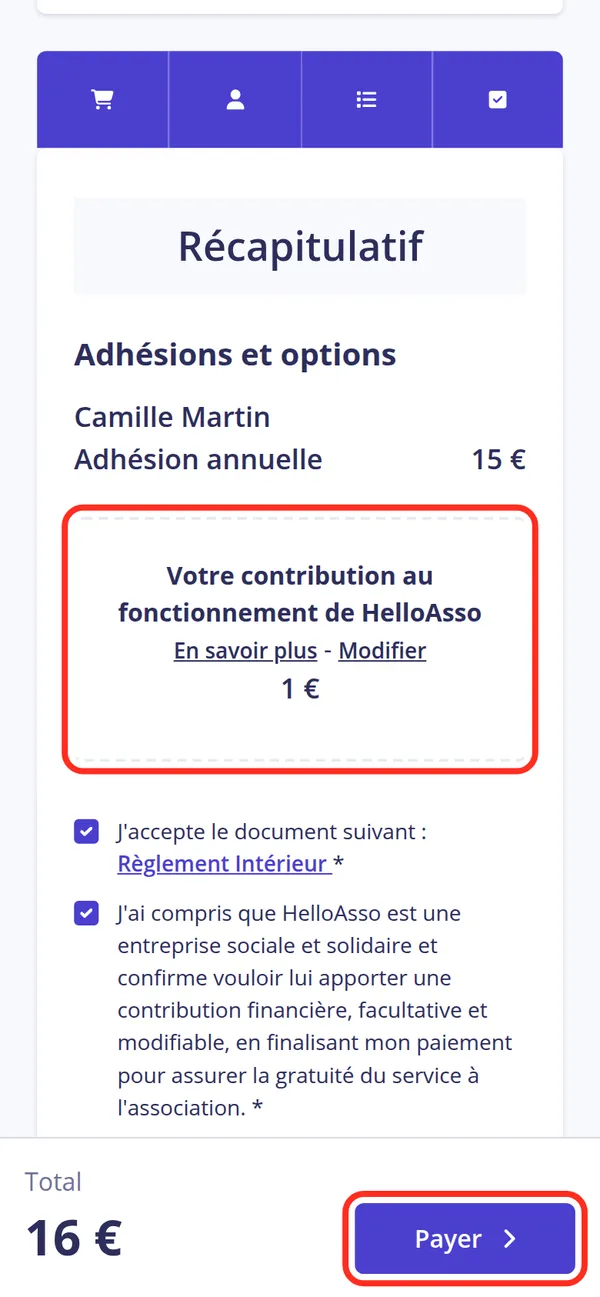
The summary adds a contribution to HelloAsso's running costs, with a pre-filled amount. To change it, press Modifier (change).
- 8
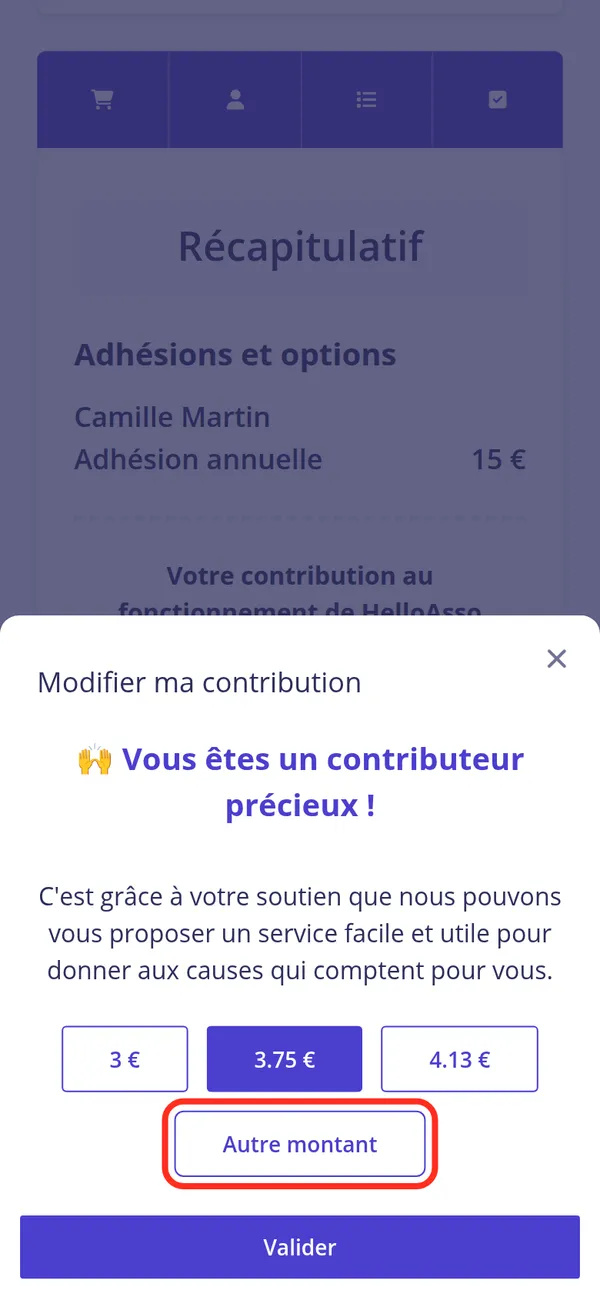
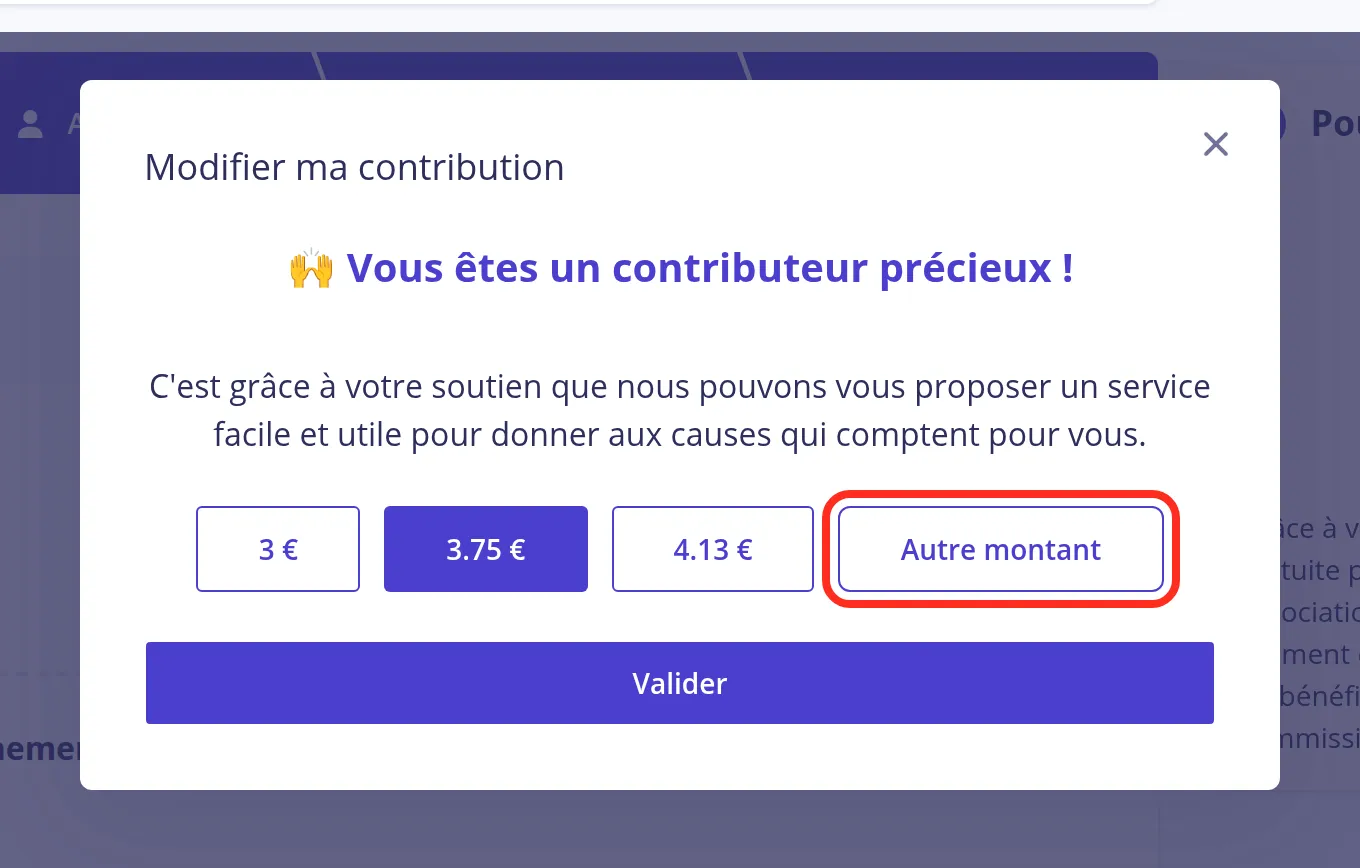
Pick “Autre montant”
In the window that opens, press Autre montant (other amount).
- 9
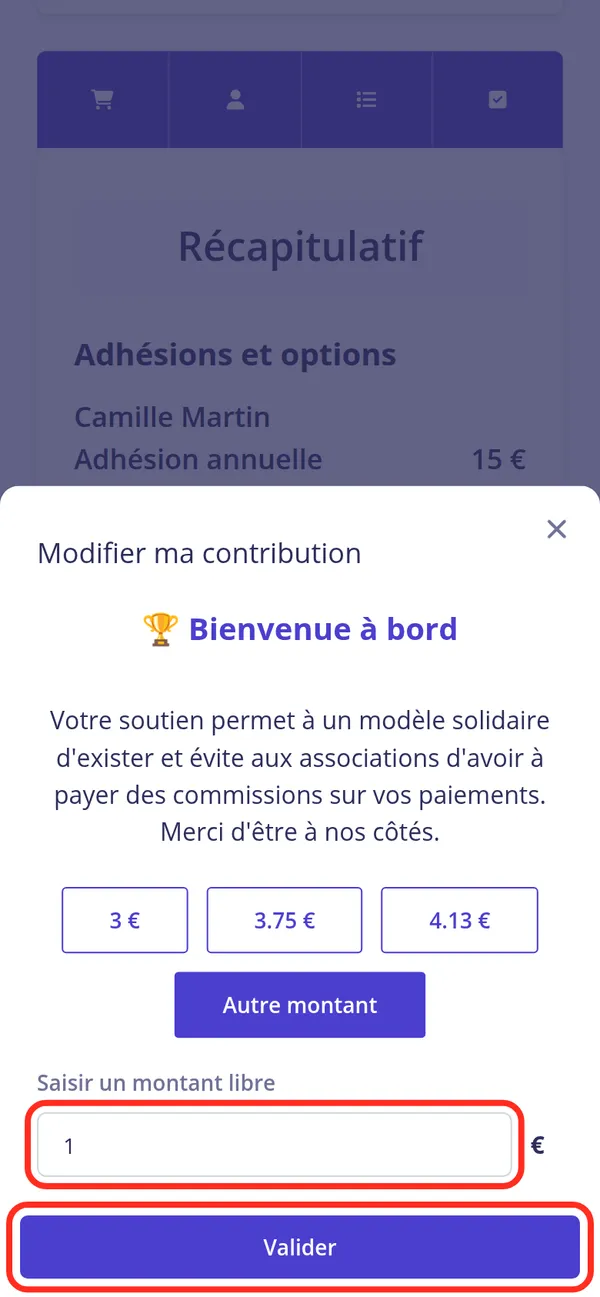
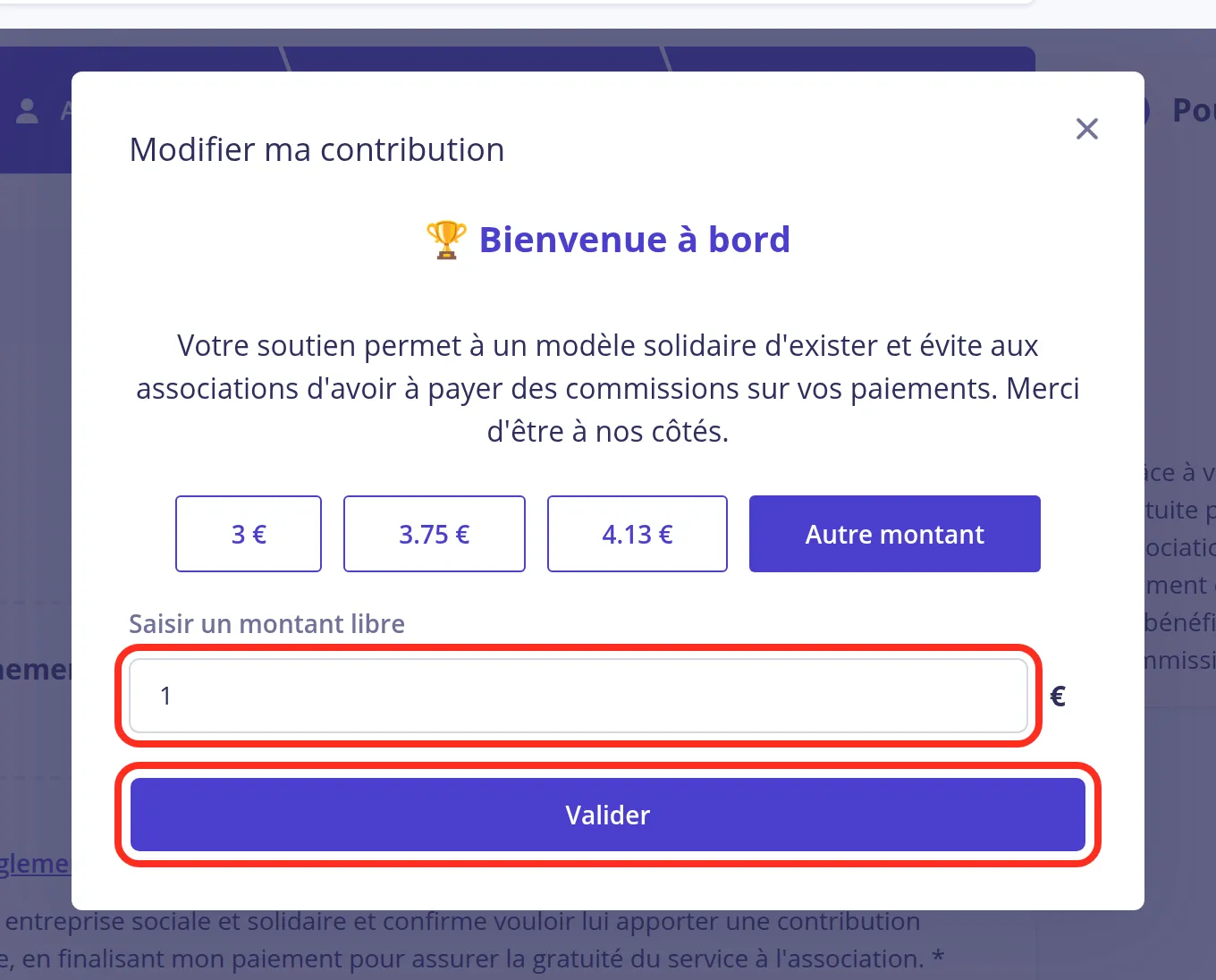
Enter your amount
Type the amount you’d like to give in the “Saisir un montant libre” (enter an amount) field, then press Valider (confirm).
Pay
- 10
Check and pay
The contribution now shows the amount you chose, on top of the membership price. Tick the internal rules and terms of use boxes, then press Payer (pay).
- 11
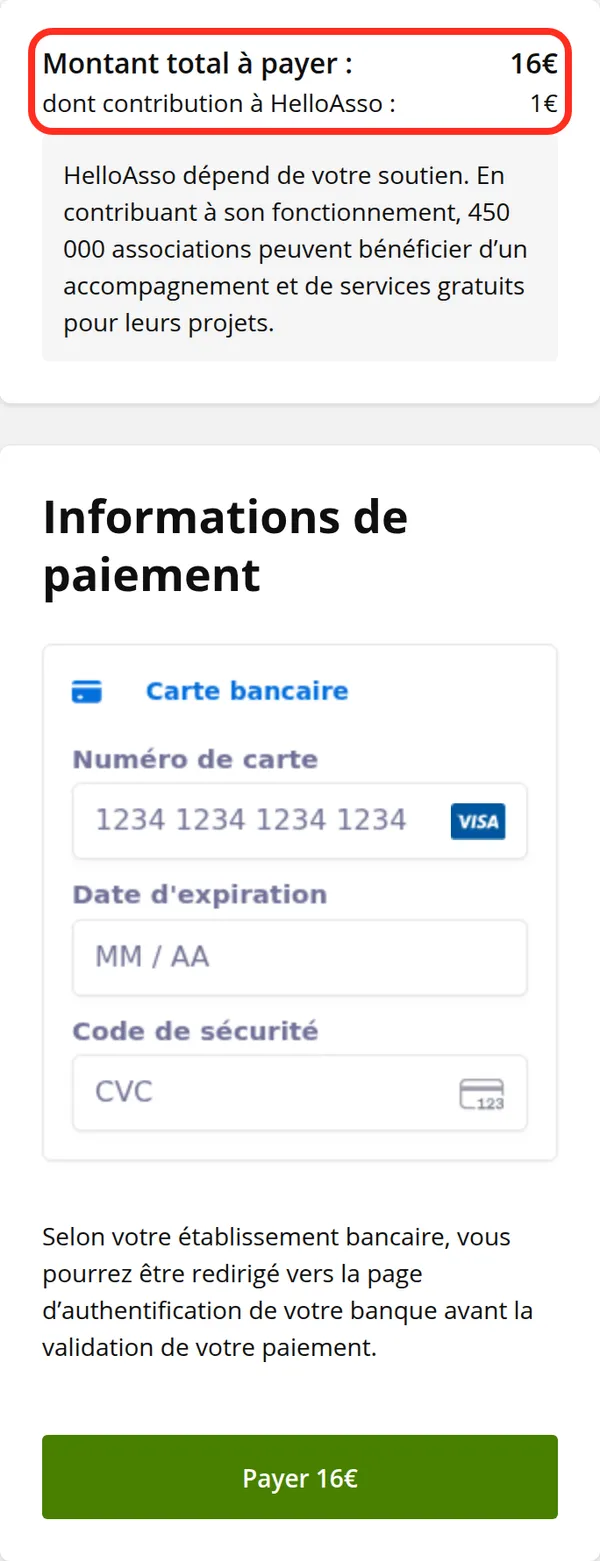
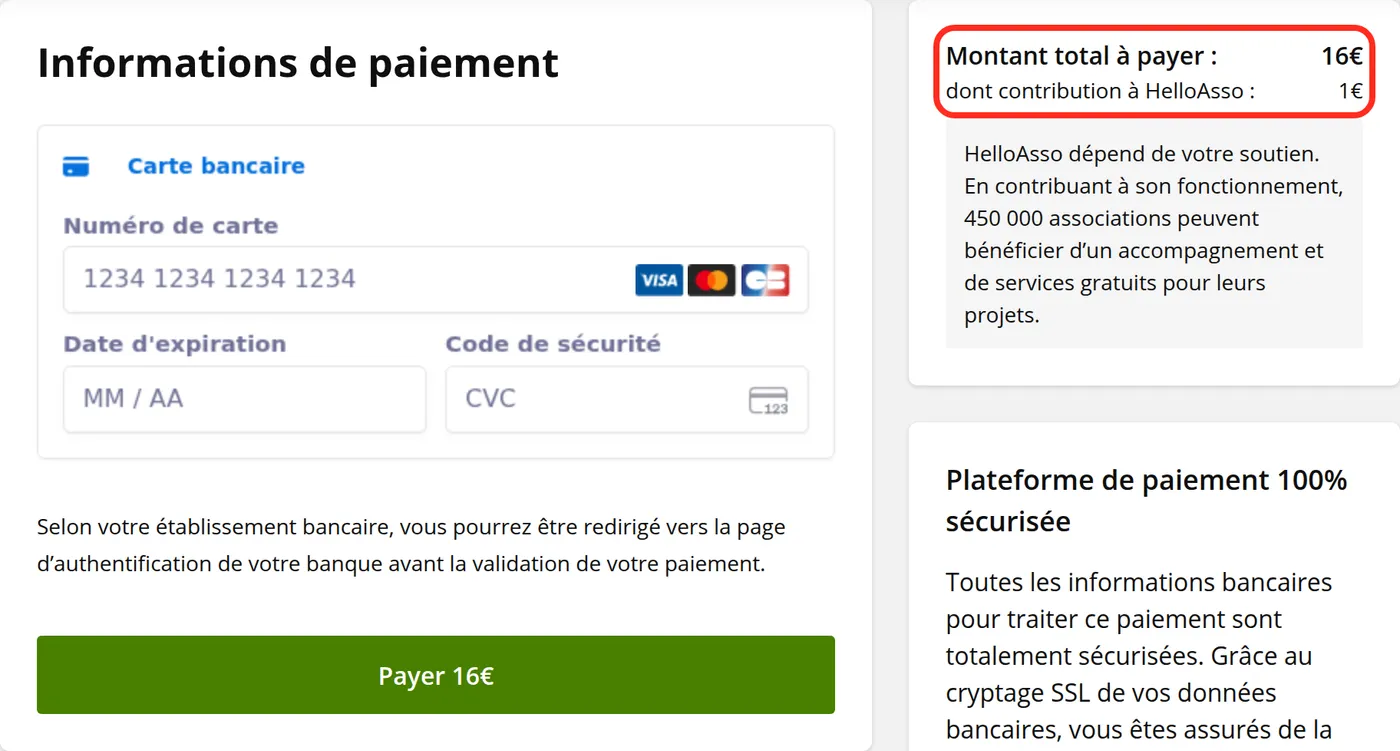
Pay by card
The payment page shows the amount again, contribution to HelloAsso included. Enter your card details and confirm: HelloAsso then sends you a confirmation email.